
|
C
NEW TWISTEDBRUSH PRO STUDIO 26 ✔ New Natural Media (2023) ArtSet ✔ New Premium Sampler ArtSet with 24 premium brushes ✔ Improved Broadlef Trees Artset ✔ New Flowering Trees ArtSet (from Tree Studio 4) ✔ Ability to hide/show individual sections of the UI panels ✔ Option to create a reference image from clipboard contents ✔ Option to create a new palette from selection ✔ Webp image format support added for saving and loading ✔ Clips, Cloning, Tracing Paper & Reference Image Support ✔ Extensive Tool Set, Paper Types and Drawing Guides ✔ Automated Solutions, Convenient Sketchbook System and More!
|



TwistedBrush Pro Studio, a Program for Digital Artists of Any Level
With a strong focus on natural media painting, photo editing and illustrative styles, TwistedBrush has more than 9000 brushes in over 250 ArtSets! That's more brushes than included in any art software anywhere at any price. If that still isn't enough you can create your own brushes with the powerful brush effects system capable of representing fine watercolors, smooth pens, full algorithmic trees or even recorded brush strokes or image processing filters.
With a strong focus on natural media painting, photo editing and illustrative styles, TwistedBrush has more than 9000 brushes in over 250 ArtSets! That's more brushes than included in any art software anywhere at any price. If that still isn't enough you can create your own brushes with the powerful brush effects system capable of representing fine watercolors, smooth pens, full algorithmic trees or even recorded brush strokes or image processing filters.
|
Thousands of Brushes
TwistedBrush Pro Studio includes as standard every brush available from Pixarra. Over 9000 at last count, covering every area of digital art from great natural media to wild brushes to brushes with that can build a random tree or whole city skyline with a single stroke. 64-bit Imaging Internally a full 64 bits of color information is used per pixel to accomplish the incredible blending found in TwistedBrush. |
|
Powerful Brush Engine
Perhaps the most powerful image editing brush engine in existence anywhere. A single system with the flexibility and performance to mimic full natural media brushes, complex blending operations, very specialize procedural object painting such as single stroke trees and everything in between. The scope of brush effects is mind blowing!
Drawing Tablet Support
Experience expressive drawing and painting with the drawing tablet support with high precision sampling and pressure sensitivity.
Color Palettes
A large array of color palettes, including, dynamic color palettes and mixing color palettes are included or create your own palettes from sampling an existing image or automatically creating ramps of colors.
Brush Editing
With TwistedBrush Pro Studio full brush editing capabilities are included. Using a specialized sequencing system over 400 brushes effects and 150 time envelopes modify the core brush types to produce the wide range of brushes. Share your brushes with other or import the brush codes from other users for an unlimited supply of brushes.
Layers and Transparency
TwistedBrush fully supports transparency and layers with all the standard layer mixing modes plus many unique mixing modes that can't be found anywhere else. Layers are accessed from either the layer mini bar on the left or the full Layer panel on the right.
Masks
TwistedBrush Pro Studio has extensive mask support for protecting and selecting parts of your images. Use the Magic Wand tool with the wide range of options for creating masks or use masking brushes to paint your masks. In addition to dedicated tools for masking there are masking (and unmasking) brushes as well as a special mask actions available from the Mask menu.
Extensive Tool Set
In addition to some of the tools already listed, a full range of tools are at your disposal including, Color Picker, Brush Cleaner, Selection, Crop, Move, Line, Rectangle, Ellipse, Paint Bucket, Gradients, Mask Rectangle, Mask Ellipse, Mask Wand, Image Warp, Script Brush, Copy tool, Paste tool, Text, Pan, Rotate Brush, Drawing Guides and Adjust Brush tools.
Image Processing Filters
Well over 200 image processing filters give you the tools to manipulate your photos or other work. From all the common image processing filters to exceptional filters found no where else such as the Value Blur, Photo Pop, Photo Detailer or Outliner filters. Shown on the right is the menu selection for filters. The Blur category of filters alone has 17 different types of blurs all of which can be configured is custom control panels. The depth of filters in TwistedBrush Pro Studio is amazing!
Clips
A fantastic productivity system that allows for easy storage and reuse of your clipped images and photo elements for use later.
Tracing paper
A drawing guide that allows you to see another image below your current image. Great when used with cloning brushes or just for a guide for proportions and layout.
Brush control
TwistedBrush Pro Studio Brush Control is a custom control panel that changes for every Pro brush. The brush editor allows the designer to define exposed control points for a brush to make it easy to tune a selected brush without needing to understand the details of brush editing.
Cloning
With the cloning brushes included in TwistedBrush Pro Studio and available for TwistedBrush Open Studio you can do all the standard cloning actions for photo touchup or convert your photos into the look of paintings or drawings.
Image formats
In addition to the TwistedBrush specific file format, TBR, all the leading industry standard image formats are supported including, JPEG, GIF, PNG, TIFF, TGA, PCX, PSD, BMP, PCD, WEBP WMF and EMF.
Brush modifiers
Hundreds of quick and easy brush modifiers for changes the brush shape, texture, size, rotation and color combinations.
Drawing guides
With over 40 guides drawing precise images is easy. From simple grids and snap to grids to complex 3D perspectives, all drawing guides can be layered together with 8 guides active and any one time.
Lua script filters
The growing standard of GLUAS for using the Lua scripting language for writing image processing filters is included. TwistedBrush extends the standard with additional methods for programmers to create even better filters for sharing with the TwistedBrush user base.
Solutions
A one click solution for complex actions. Apply frames, advanced image processing, layouts and other tasks that might normally require significant work have been record for your easy play back.
Adobe Photoshop (TM) compatible plug-ins
Use the wide range of industry standard plug-ins right in within TwistedBrush Pro Studio.
Pixarra Products Comparison Table
Read a detailed review about TwistedBrush Pro Studio from Fixthephoto.com
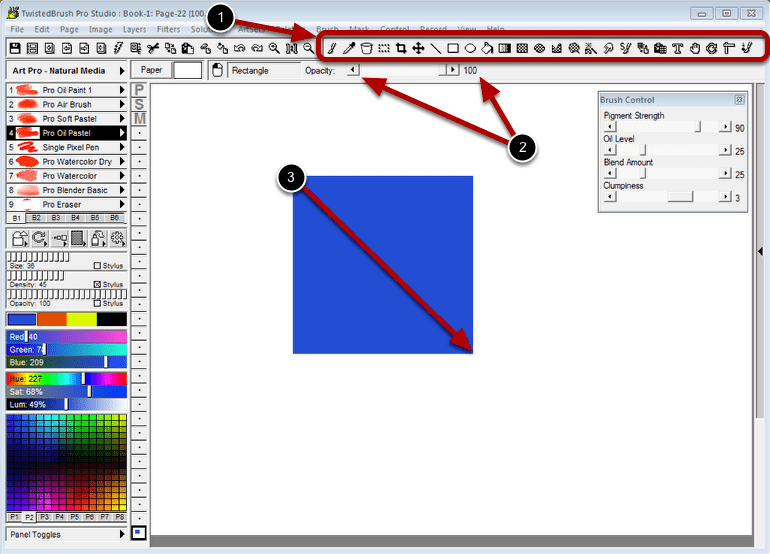
Easy to use Tools
|
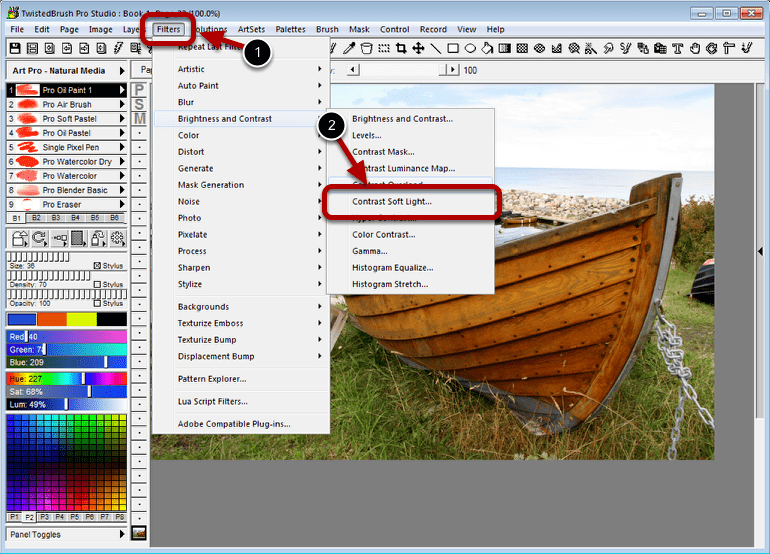
Filters for quick photo adjustments or complete digital art creation
|
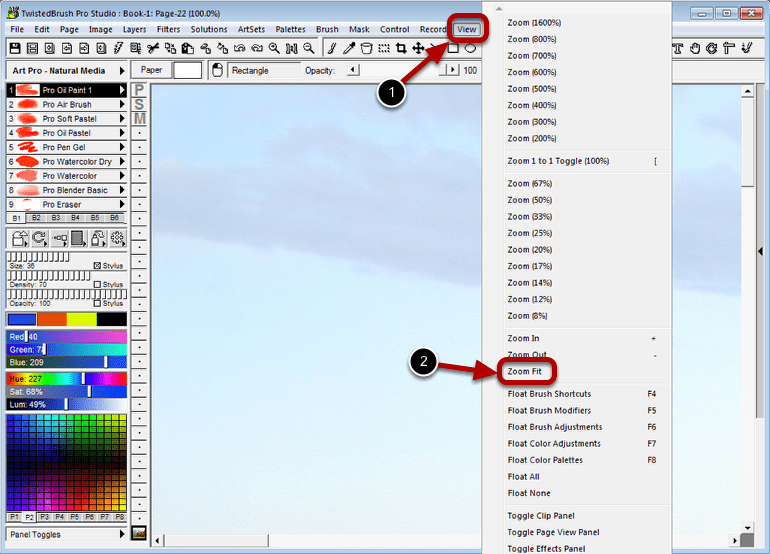
Different Zoom levels
|
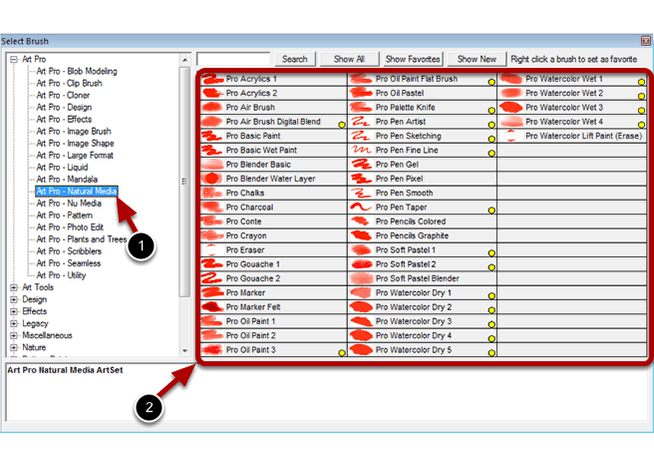
Extensive Collection of Brushes and Artsets
|
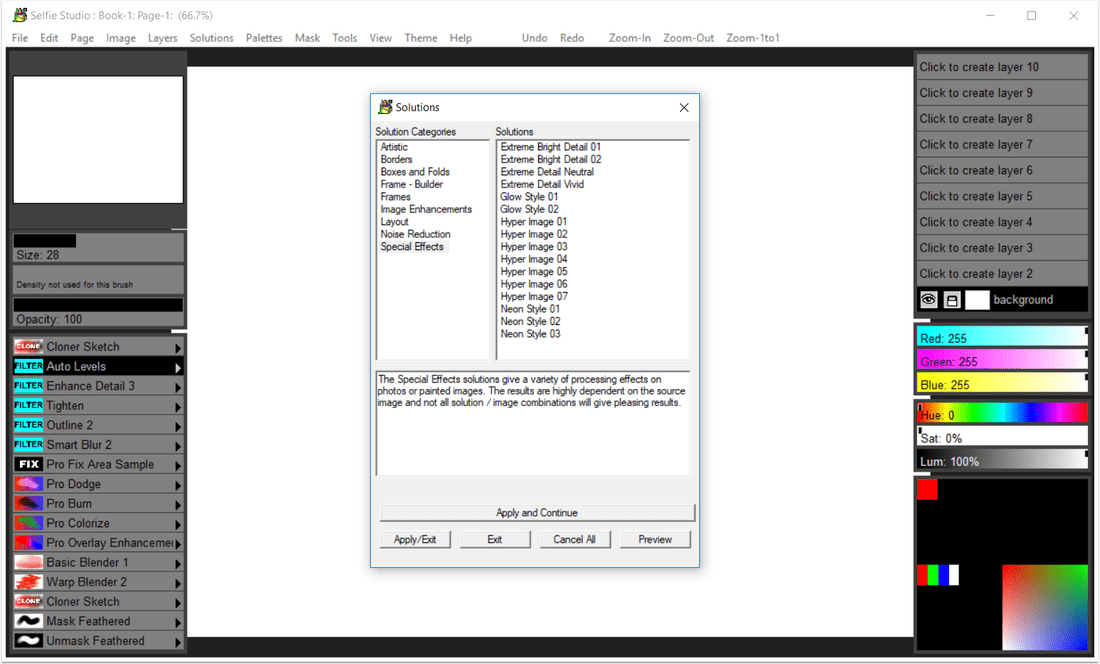
Solutions - an easy way to select and use predefined sets of filters and actions to accomplish complex tasks
|
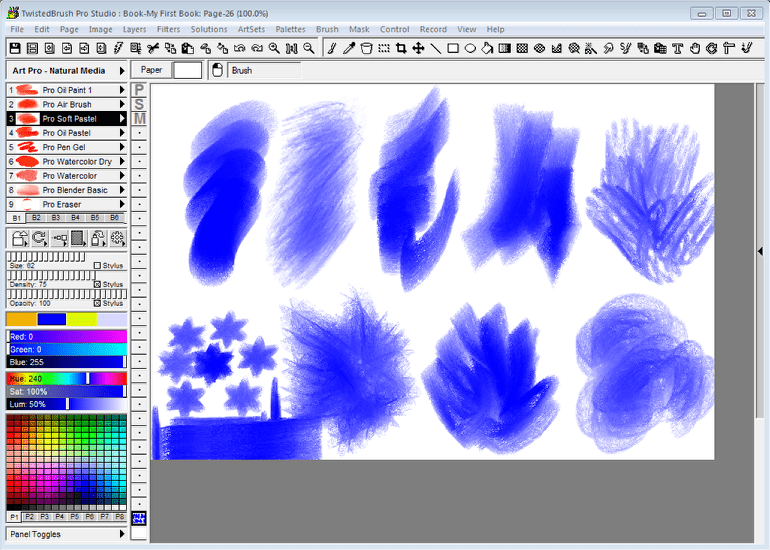
Brush modifiers - an easy way to change the shape, size, rotation, color, pattern and texture of brushes
|
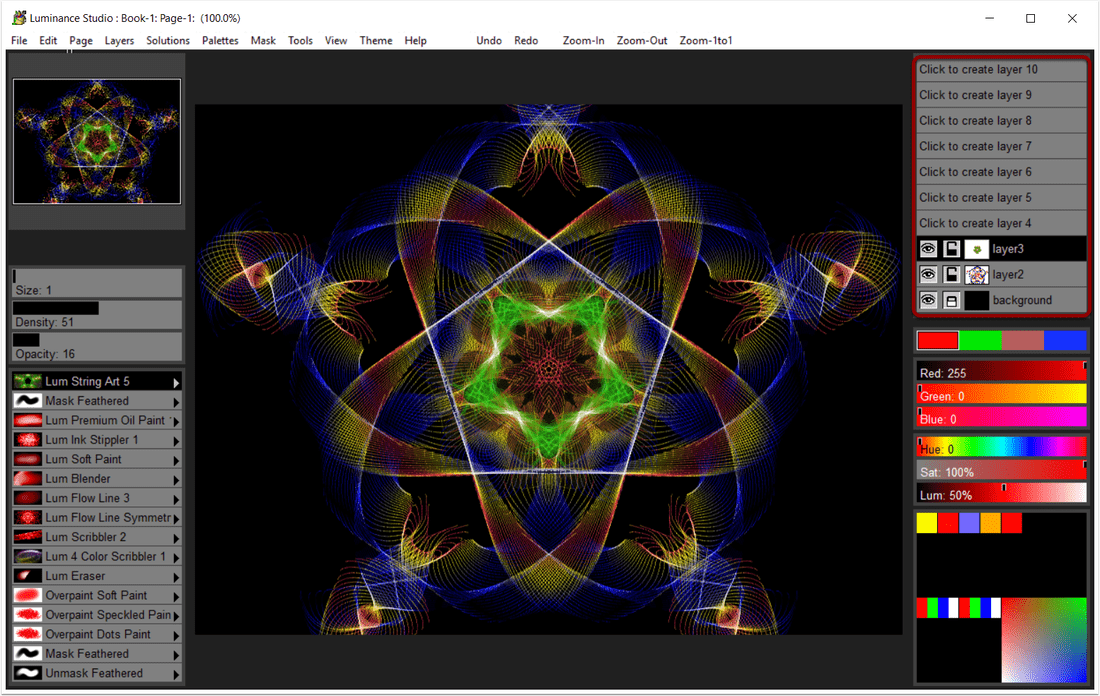
Supported Layers - allow you to work on elements of your image without impacting other areas
|
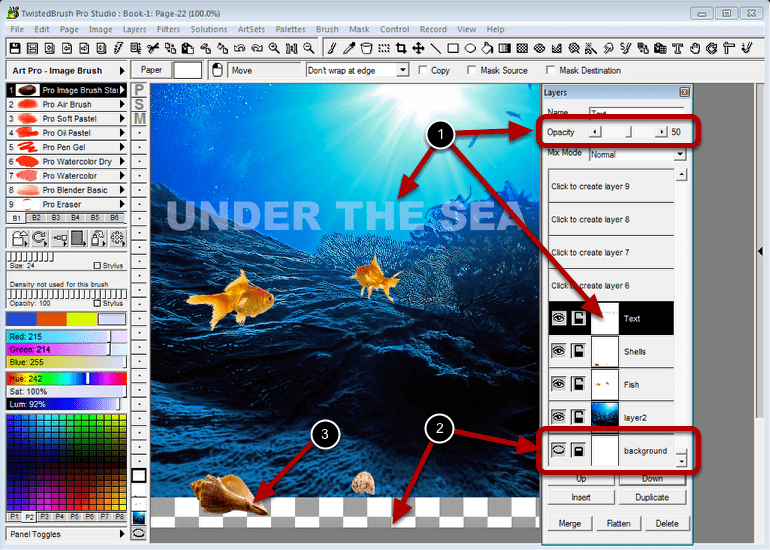
Supported Layer Transparency
|
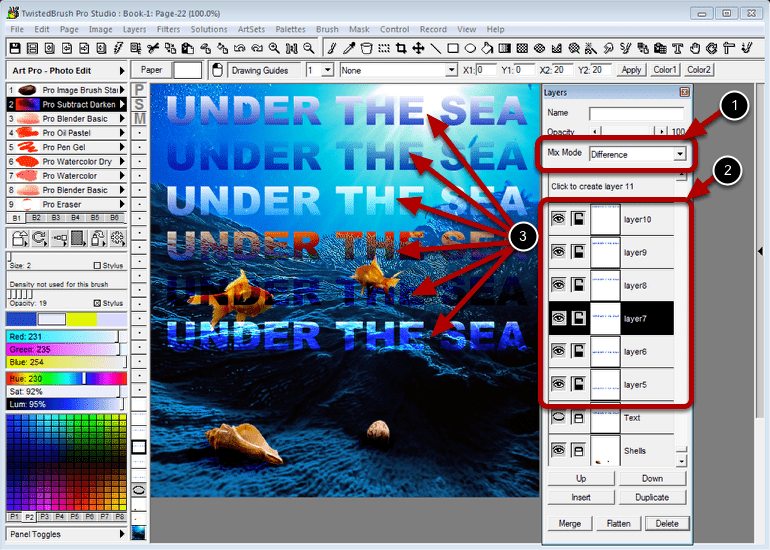
Layer Mix Modes give great creative options for digital image editing
|
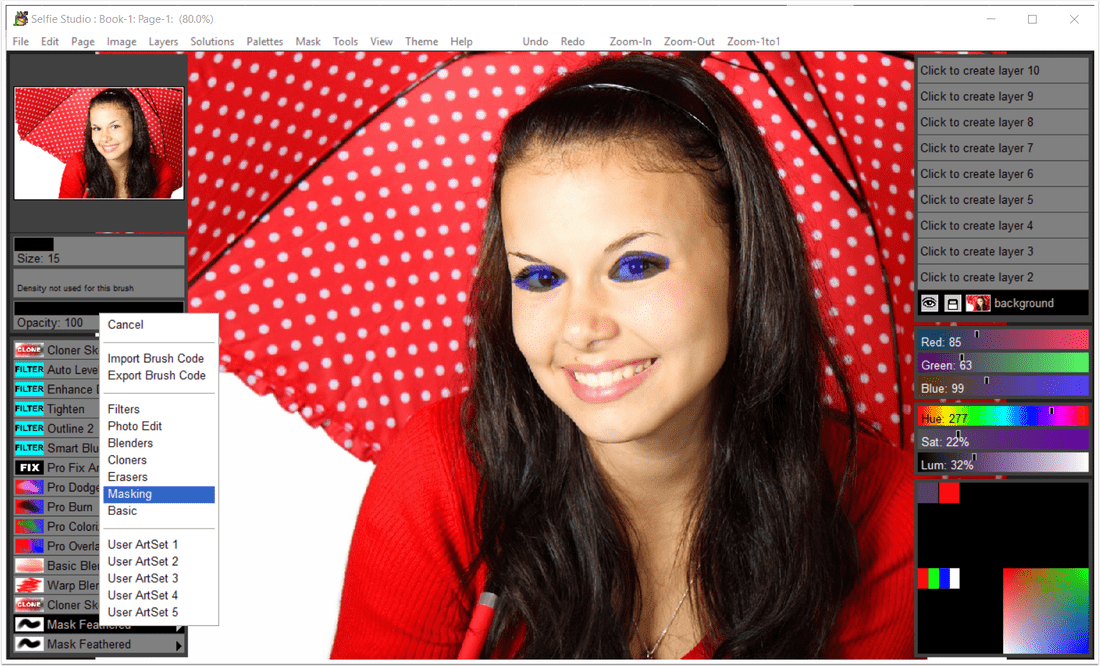
Extensive Mask Support
|
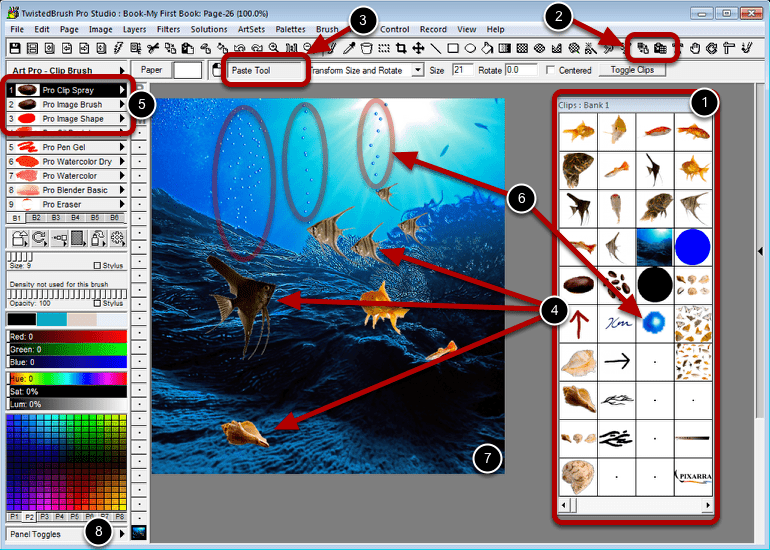
Clips for easy storage and retrieval of image objects to and from the clipboard
|
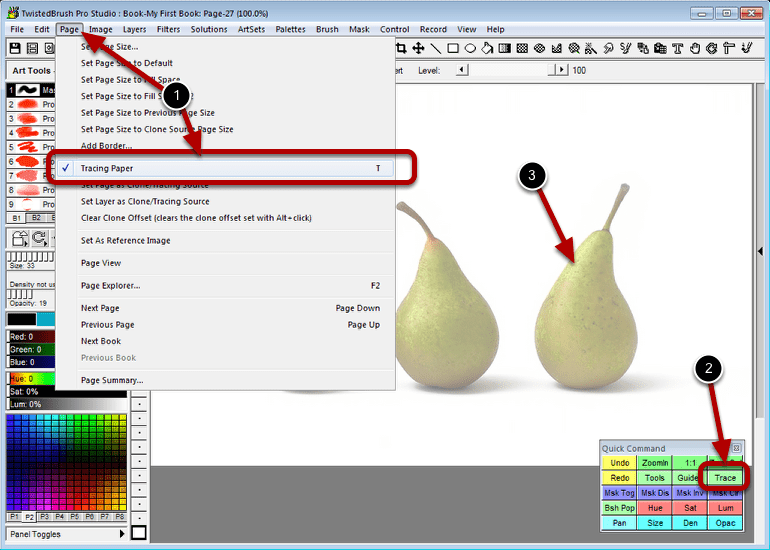
The Tracing feature allows you to see a ghost image of another page or cloning source
|
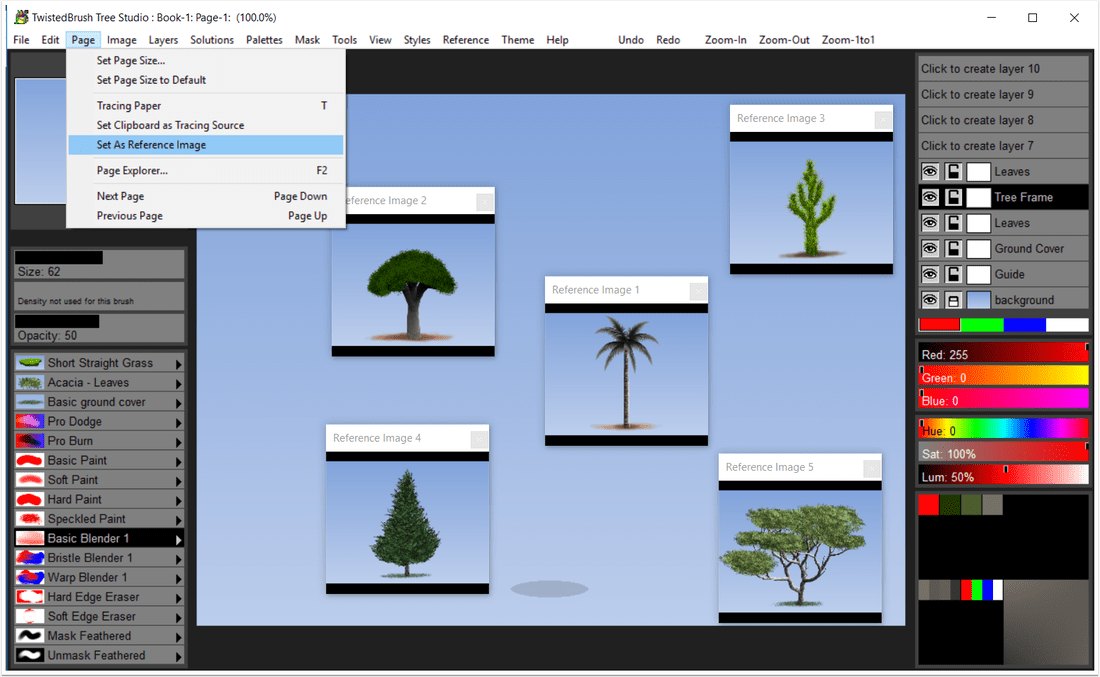
The Reference Image feature places an image as a window that can be resized, zoomed and colors selected from
|
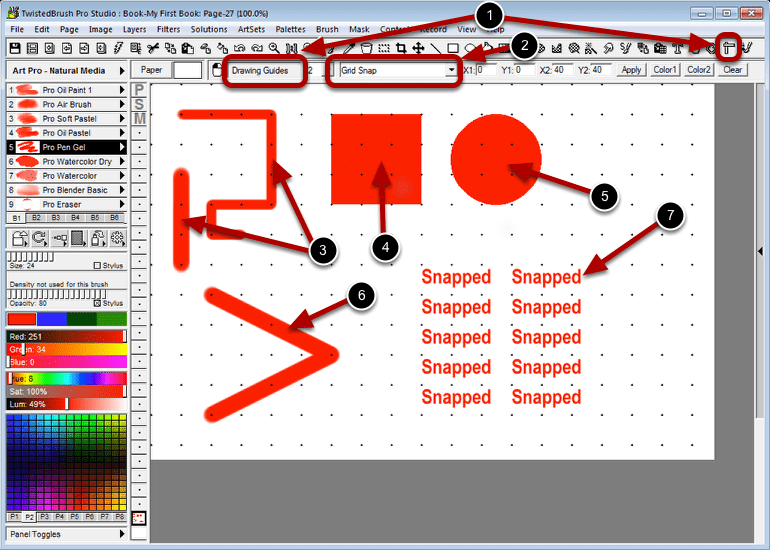
Grid Snap is a drawing guide that allows paint strokes and tools to be placed at exact intervals
|
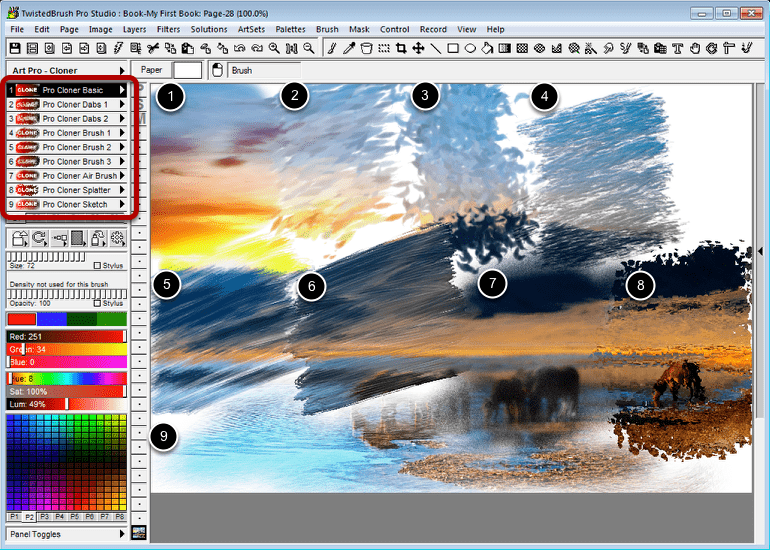
Image cloning allows you to pull contents of an image into another image as you paint
|
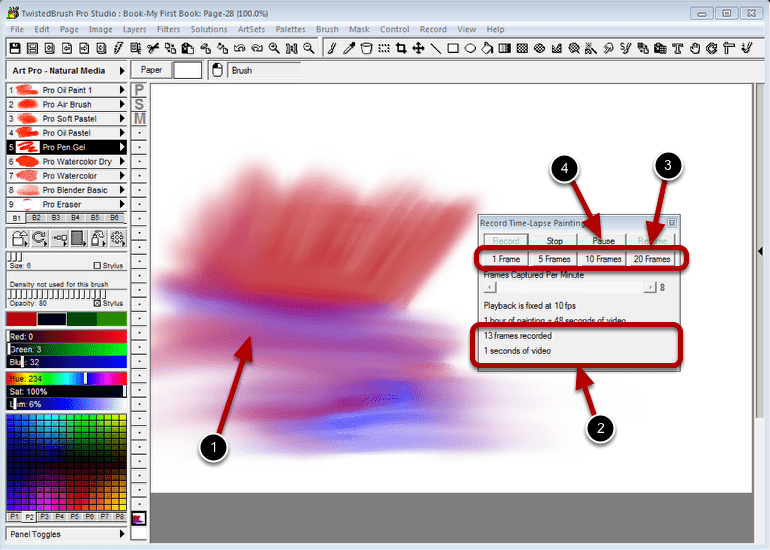
Making Time-Lapsed Paintings
|
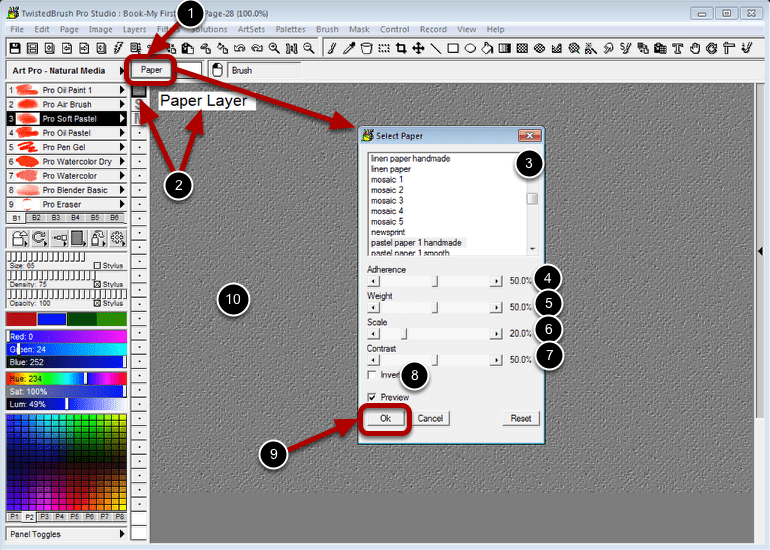
Paper Textures give you the option for brushes to interact with the canvas
|

Setting a paper color makes it easy to achieve certain natural media looks
|
System Requirements
Compatible Formats
TBR, JPEG, GIF, PNG, TIFF, TGA, PCX, PSD, BMP, PCD, WMF and EMF.
- Windows 7/ Windows 8 / Windows 10
- 500MB disk space
- 1024x768 minimum display resolution
- 4GB RAM (8GB or more recommended)
Compatible Formats
TBR, JPEG, GIF, PNG, TIFF, TGA, PCX, PSD, BMP, PCD, WMF and EMF.
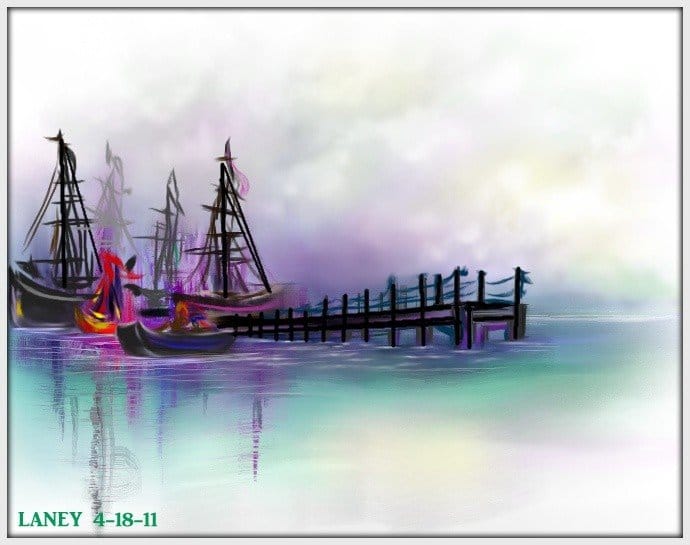
Digital Fine Art
|
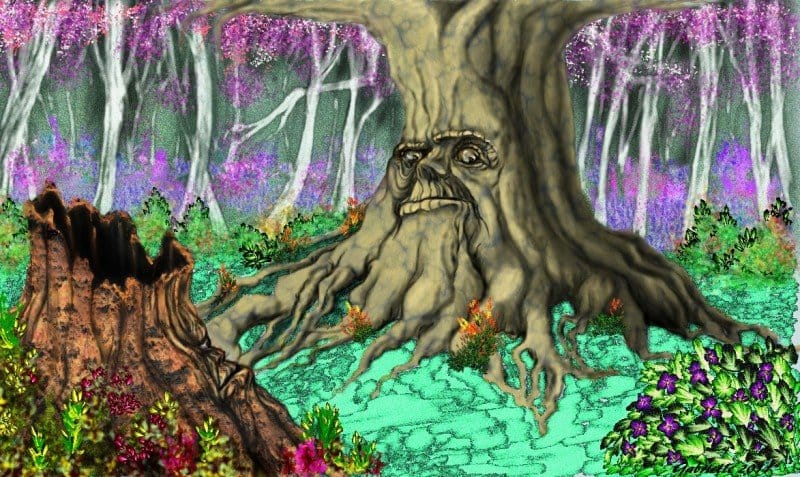
Concept Art
|
Illustration
|
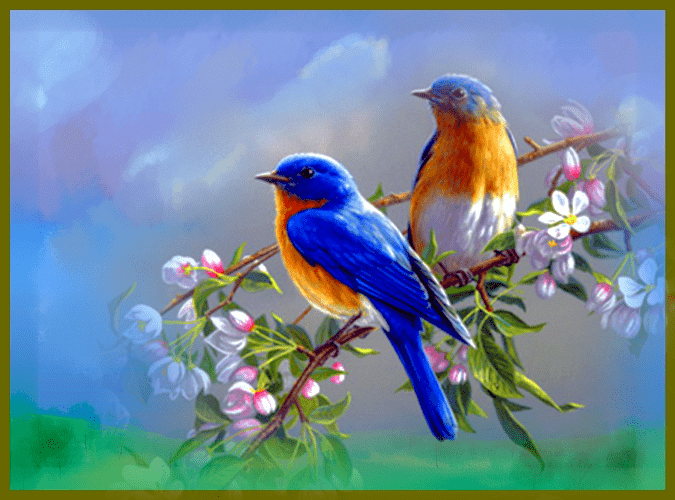
Photo Art
|
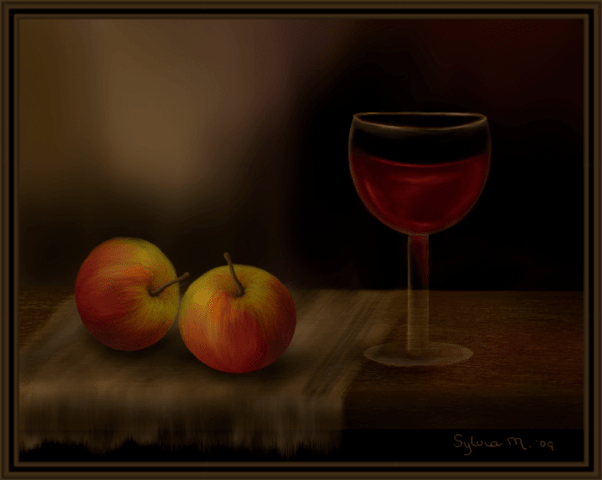
Still Life
|
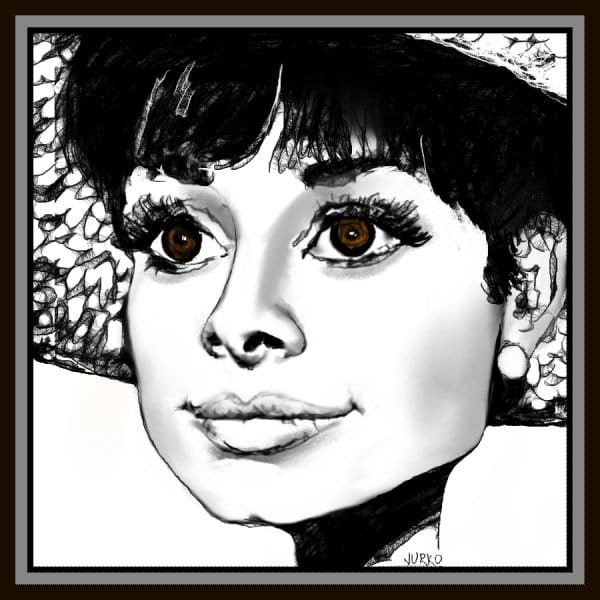
Drawing
|
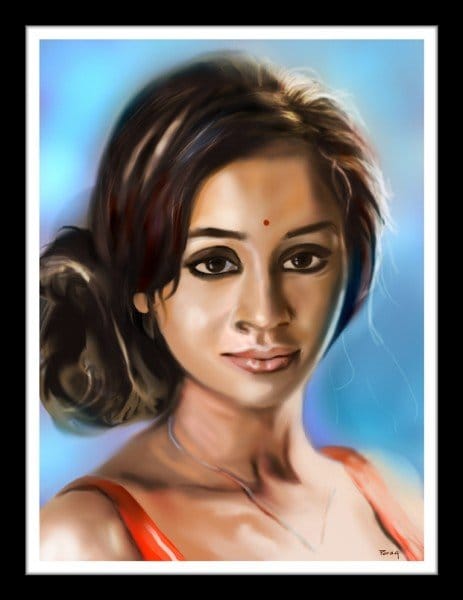
Portrait Art
|
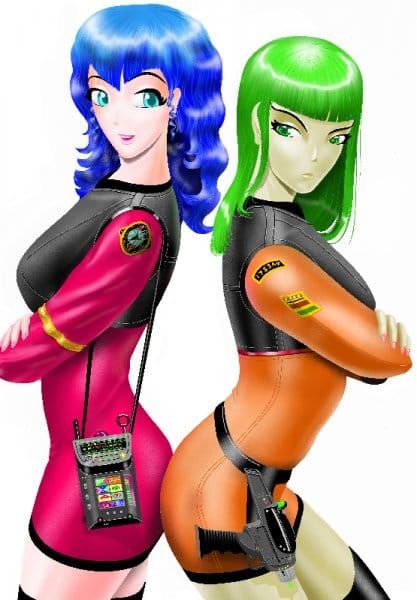
Manga
|
TwistedBrush Pro Studio 26 Product Updates
New Features
Improvements
Fixes
- New Brushes
- Natural Media (2023) ArtSet! Our best natural media brushes have been enhanced to provide an even more realistic and immersive digital painting experience. Discover new levels of realism and detail with our upgraded Natural Media brushes.
- Premium Sampler ArtSet added. 24 select brushes from the Premium ArtSets! - A carefully curated collection of 24 select brushes, handpicked from our Premium ArtSets. Elevate your art to the next level with premium oils, loaded brushes that allow you to paint with multiple colors at once, specialized Auto Tile Pattern brushes for generating unique patterns, Premium Design Explorer brushes for creating intricate designs and abstract art, and even Christmas-themed brushes, plus a few of our Premium Portraits brushes for making photorealistic artistic portraits.
- Broadleaves 1 and Flowering Trees ArtSets from Tree Studio 4 - We've added all significantly improved broad leave tree brushes from Tree Studio 4, and also the new Blossoming Trees Artset, including Judas Tree, Magnolia, Lilac, Mimosa, Cherry Blossom, and Red Crape Myrtle. With these powerful new brushes at your disposal, you can easily create breathtaking landscapes and outdoor scenes that capture the essence of nature's beauty.
- New Brush Effects
- Brush effects tfTrunkSpreadX and tfTrunkSpreadY added. (v. 26.03)
- Brush effects VM Fade In and VM Fade Out added (26.05)
- Brush effects VM Peak, VM Wave, VW Saw1, VW Saw2 and VM Square added (26.05)
- Brush effects VM Peak Repeat, VM Wave Repeat, VW Saw1 Repeat, VW Saw2 Repeat and VM Square Repeat added (26.05)
- Brush effect Fitler Until added (26.05)
- Brush effect pEmit Gate added (26.05)
- Others
- Ability to hide/show individual sections for the UI panels, exposed in the View menu, Quick Command panel and hot keys! Now you have the ability to show or hide individual sections of the UI panels, which is accessible through the View menu, Quick Command panel, and hotkeys. This feature provides more control over your canvas and painting space. You can easily hide any of the panels whenever you want to focus on your artwork without any distractions.
- Option to create a reference image from clipboard contents. Found in Edit menu. We've made it even easier to use external images as a reference for your artwork! With our latest upgrade, you can now create a reference image directly from the contents of your clipboard. Simply copy any image from outside Pro Studio and set it as a reference with just one click. This new feature, located in the Edit menu, will save you time and effort in your creative process, allowing you to focus on bringing your vision to life.
- Option to create palette from selection. Available in Palette menu and selection popup menu. With just a few clicks, you can now create a custom color palette from any selection in your artwork or uploaded image - perfect for quickly capturing and reusing colors.
- Webp image format support added for saving and loading. This means you can now save and load your artwork in this high-quality, compressed format. With Webp, you'll be able to store your images with smaller file sizes without sacrificing image quality. This feature makes sharing and uploading your artwork online faster and more efficient.
- Report date of last edit for an image (page) in Page Summary
- Insert Before Page and Insert After Page options added to Page Explorer
- Option to set the data directory for all storage. Located in the Edit menu.
- Randomize Brush menu added to Brush top level menu (26.05)
Improvements
- Suppport the longer form extension for JPEG files, .jpeg.
- Added page width and height to the main application title bar
- Added keyboard shortcut keys to the Page Explorer menus
- The layer mix mode dropdown list stays open now after selecting a layer mix mode
- Create Palette from image improved to make full use of palette
- Formatting cleanup of the Tool options panel
- Brush effect pEmit Dir (and related effects) have a more consistent starting angle (26.05)
- The Rnd Brh Quick Command button now triggers the random brush generation that is tied to the Brush Control panel (26.05)
- The brush effect, Dab Move Pos now will not draw on mouse up events (26.05)
Fixes
- Reference image not redrawing when returning from iconic state
- Loading a PNG with transparency not updating the layers panel properly
- Creating a color palette is reseting all the color palettes when it should not
- The page scroll in Page Explorer is skipping 3 pages of images, it should skip to the next page
- PSD loading and saving isn't working in some cases
- Raw camera image load isn't working in some cases
- Import any image functionality missing. Now over 200 different image formats can be imported.
- Formatting issues on many popup message boxes.
- At start the tool options panel was displaying when it should not.
- Resize Image dialog not defaulting to an algorithm.
- Brush filters not setting default values in the filter dialog.
- Lua based filters not working correctly for brush filters.
- Some brushes can result in crash with soft stylus pressure if a bShape effect is present. (v 26.03)
- Slider position not tracking properly (26.05)
- Randomize feature in Brush Control is not considering the range of the slider properly (26.05)
TwistedBrush Pro Studio 25 Product Updates
New Features
Improvements
Changes
Fixes
- New User Interface
- Custom modern look
- Most dialog and commonly viewed areas conform to this new look and selected theme
- Both light and dark color themes
- Page view panel always visible for easy panning
- Expandable list of shortcut brushes based on the screen resolution
- Tool panels that automatically hide when painting near them
- Larger fonts to improve visibility on today's higher resolution monitors.
- Cleaner looking icons that are keyed to the selected theme
- More context menus in various places
- More icons used in various places
- Layers Panel
- Visual icons for common operations
- Expanding panel to show as many layers as possible on screen, depending on monitor resolution
- More complete popup context menu
- Color Selection
- Small luminance and saturation sliders replace with large multiple gradient selection area
- Right click in the gradient area pops up a more detail color editor.
- New Default Color Utility Palette
- Shows recent colors
- Shows most used colors in the image (on demand)
- Group of easy to edit custom colors
- Page Explorer
- Streamlined look and operations
- Content menus for many actions
- Left and right arrow keys to quickly move a book up or down in the book
- Ability to move a page to another book
- Option to move a page to a specific location in the book
- Option to duplicate a page
- New Brush Effects
- Brush effect "pRend DabEnd" added. Renders the particle only at the end of life with a dab. (v 25.10)
- Brush effects "Add Var 1" - "Add Var 10" (v 25.10)
- Brush effects "Sub Var 1" - "Sub Var 10" (v 25.10)
- Brush effect "3D Shadow Opacity" added. Impacts the other shadow effects. (v 25.10)
- Brush effect "VM Percentage 10000" added. (v 25.10)
- Added: Brush Effect "Auto apply mode". (v25.12)
- Brush Effect "Smooth Angle" (v25.14)
- Brush Effects "Wedge3", "Wedge4", "Wedge5", "Wedge6" (v25.14)
- Brush Effect "ColorSelect Index" (v25.14)
- Brush Effect "VM Modulo" (v25.14)
- Brush Effects "VM Min" and "VM Max" (v25.14)
- Brush Effects "Multi 100" (v25.14)
- Brush Effects "Lock Dab Count" (v25.14)
- Brush Effects Envelope "b-ang SmthAngle" (v25.14)
- Brush Effects Envelopes "f-in-slow" and "f-out-slow" (v25.14)
- Brush effect PageArray added (v25.16)
- Brush effect ColorSeclect Set added (v25.16)
- Brush effect Rebase Reset LineTo added (v25.16)
- Brush effect Rebase Reset LineTo Reseed added (v25.16)
- Brush effect Clear Lum on Start added (v25.16)
- 21 Blob Style brush effects added to change the rendering style foe Alpha Smooth Lum4 layers. (v25.17)
- Drawing guide Face Portrait Front added to the available drawing guides. (v25.17)
- Brush effects Block Start and Block End added for more powerful flow control. (v25.17)
- Brush effect Anti-Alias v2. Design for use only with smooth stroke. (v25.17)
- Brush effect fade-by-size added. Useful to brushes that need to fade the strength with time based on initial brush size. (v25.17)
- Brush effect envelopes taper1-by-size to taper5-by-size (v25.17)
- Brush effect seed2 added to address issue with exposing it to the Brush Control panel. (v25.17)
- Brush effect Age stroke added to allow for more control over brush effects and enevelopes that interact with stroke length (v25.17)
- Others
- Link to report bug added to the Help menu. (v 25.03)
- Support for mouse wheel to scroll lists. (v 25.03)
- Preference switch between previous Pro Studio RGB + HSL sliders and the new HUe + Gradient approach. (v 25.05)
- Quick Command button added to switch between previous Pro Studio RGB + HSL sliders and the new HUe + Gradient approach. (v 25.05)
- Quick Command button added to launch Edit Color dialog (v 25.05)
- The M key randomizes the selected brush. (v 25.07)
- Brush Select option added to brush shortcuts popup menu. (v 25.12)
- Import ArtSet option from the File menu. (v 25.12)
- Seamless filter category added for Backgounds, Texturize Emboss, Texturize Bump, and Displacement Bump. (v 25.12)
Improvements
- Preference option to require the Ctrl key + mouse wheel to zoom. Normal operation is to not require the Ctrl key.
- Improvements to license key entry to help reduce chance of errors
- Opening the Page Explorer is drawn more cleanly. (v 25.07)
- Show a wait cursor when doing a long brush search operation. (25.09)
- Increase the font size in the Brush Effects panel (25.10)
- Increased number of brush blender bristles from 20 to 100! (v25.14)
- Brush effect Rad Scatter 2 improved to respond to brush resizing dynamically (v25.14)
- Pressure sensitivity responsiveness improved (v25.17)
Changes
- Brush Effect "VM Percentage 1000" to allow value to extend beyond the limit of a brush effect amount. (v 25.10)
- Text brushes changed to write temporary data to the application data area. (v 25.10)
- Ctrl + Click on shortcut brush will open the Brush Select dialog. (v 25.12)
- The page position won't automatically be recentered on each page change. (v25.17)
Fixes
- Many bug fixes
- Fixed: Clips Export and Clips Import not working correctly (v 25.01)
- Fixed: Dialogs section missing from Quick Command panel (v 25.01)
- Fixed: Filters section missing from Quick Command panel (v 25.01)
- Fixed: Guides feature missing from User Interface section of Quick Command panel (v 25.01)
- Fixed: Brush popup missing from User Interface section of Quick Command panel (v 25.01)
- Fixed: The Miscellaneous section of ArtSets missing that resulted in 20 ArtSets not accessible (v 25.01)
- Fixed: Sliders in the Filter dialog have the wrong range. (v 25.02)
- Fixed: Clearing layer is not protected by mask. (v 25.02)
- Fixed: Layers panel is not scrolling the selected layer into view on start and add layer. (v 25.02)
- Fixed: When loading an image, either directly or indirectly, the layers panel doesn't update. (v 25.04)
- Fixed: The sixth slider is not drawing in the Filter dialog. (v 25.04)
- Fixed: The second drop down box is not drawing in the Filter dialog. (v 25.04)
- Popup modifier is not auto dismissing when selecting a color from the gradient combo. (v 25.05)
- The brush Size panel is not laying out properly. (v 25.05)
- Fixed: Program crash when clicking a scroll button without a full list of items (Page Explore, Filter Presets, etc). (v 25.06)
- Fixed: Fixed: Program crash when using mouse wheel to scroll a list without a full list of items (Page Explore, Filter Presets, etc). (v 25.06)
- Fixed: When using the Page Explorer the mouse pointer disappears when over the drawing area. (v25.06)
- Fixed: Layers panel was not redrawing properly after Automation : PNGFilesToLayers operation. (v25.06)
- Fixed: When in ArtSet edit mode the Select Brush dialog should be titled Edit ArtSet. (v 25.06)
- The Random button on the Brush Control dialog is randomizing twice. (v 25.07)
- Hot Key F1 was opening Page Explore, it should not. (v 25.07)
- Hot Key F2 is not toggling all dialogs. (v 25.07)
- Menu option to toggle all dialogs is missing. (v 25.07)
- The comma (,) hot key should allow for a temporary toggling of full screen mode. (v 25.07)
- The number keys 1-0 should select brushes 1 - 10 from shortcuts panel. (v 25.07)
- The / key should popup the modifiers panel. (v 25.07)
- The R key should select the Adjust tool. (v 25.07)
- The X key should select the Text tool. (v 25.07)
- Ctrl X key should perform a cut action. (v 25.07)
- Paste operation is not working. (v 25.07)
- The ArtSet dialog has the wrong title. (v 25.07)
- Layer opacity once set was affecting every layer later selected. (25.09)
- When minimizing the program the layers panel is incorrectly sized when restored. (25.09)
- Brush Control sliders are not dragging thumb position properly. (25.09)
- Brush shortcuts panel slider is not dragging thumb position properly. (25.09)
- When selecting a brush modifier the original ArtSet for a brush is forgotten. (25.09)
- Text Brushes were not working. (v 25.10)
- Fixed: Text Brush effect "text clip repeat" was not working. (v25.11)
- Setting the tracing color not working. (v 25.12)
- Some control sizes in the filter dialog are wrong. (v 25.12)
- Filters with a style dropdown list were not working correctly. (v 25.12)
- Filter brushes not retaining the filter list 2 such as in Pattern Explorer for editing. (v 25.12)
- Brush Effect Reset not working above level 20 (v25.14)
- Density Adj was not working correctly (v25.14)
- Attempting to import a second ArtSet fails. (v25.15)
- Hue being set to 0 when setting lum and sat to 0. It should not. (v25.15)
- When dragging a brush in the Edit ArtSet mode, dragging the brush off the panel would result in a crash. (v25.15)
- Brush Control slider not showing correct values for slider ranges not starting at 0. (v25.17)
- Merging a layer into another layer with transparency doesn't work properly with many layer mixing modes. (v25.17)
Other Products From Pixarra
Paint Studio Natural Media Painting |
|
|
|
|
Other Products From Pixarra
|

|
Mezmind Calming Environments |
Studio Bundle Collection of Art Software |